Monday, April 15, 2013

ASUS Transformer AiO goes on sale in the US, unites desktop and tablet for $1,299

ASUS Transformer AiO in Android mode

ASUS' distinctive Transformer AiO has been a long time in coming, having first reached our paws last June. For Americans, it's at last more than just a fantastical idea: Amazon, J&R, Rakuten and other US-friendly online retailers now list the oddest of odd PCs as on sale, and usually in stock. For a typical $1,299, more adventurous buyers get a Windows 8 base desktop with a 3.1GHz Core i5, 8GB of RAM, a 1TB hard drive, a DVD drive and a GeForce GT 730M. The real fun, of course, rests in its display. Remove that 18.4-inch LCD from its dock and it suddenly becomes a gigantic Tegra 3-based Android tablet running Jelly Bean. We're not sure if we'll ever completely wrap our heads around the concept, but those who understand ASUS' expanded definition of an all-in-one can shop at the source links.

Filed under: , ,

Comments

Via: Android Police

Source: Amazon, J&R, Rakuten


via http://www.engadget.com/2013/04/15/asus-transformer-aio-goes-on-sale-in-the-us/

Saturday, April 13, 2013

Hyper-V Replica Certificate Based Authentication - makecert

We have had a number of queries on how to enable replication using certificates created from makecert. Though the Understanding and Troubleshooting guide for Hyper-V Replica discusses this aspect, I am posting a separate article on this. The below steps are applicable for a simple lab deployment consisting of two standalone servers – PrimaryServer.domain.com and ReplicaServer.domain.com. This can be easily extended to clustered deployments with the Hyper-V Replica Broker.

Makecert is a certificate creation tool which generates certificates for testing purpose. Information on makecert is available here - http://msdn.microsoft.com/en-us/library/bfsktky3.aspx.

1. Copy the makecert.exe tool to your primary server

2. Run the following command from an elevated command prompt, on the primary server. This command creates a self-signed root authority certificate. The command also installs a test certificate in the root store of the local machine and is saved as a file locally

  makecert -pe -n "CN=MyTestRootCA" -ss root -sr LocalMachine -sky signature -r "MyTestRootCA.cer"   

3. Run the following command couple of times, from an elevated command prompt to create new certificate(s) signed by the test root authority certificate

  makecert -pe -n "CN=<FQDN>" -ss my -sr LocalMachine -sky exchange -eku 1.3.6.1.5.5.7.3.1,1.3.6.1.5.5.7.3.2 -in "MyTestRootCA" -is root -ir LocalMachine -sp "Microsoft RSA SChannel Cryptographic Provider" -sy 12 <MachineName>.cer   

Each time:

  • Replace <FQDN> with FQDN of primary and replica servers
  • Replace <MachineName>.cer with any name

The command installs a test certificate in the Personal store of the local machine and is saved as a file locally. The certificate can be used for both Client and Server authentication

4. The certificates can be viewed by mmc->File->Add/Remove Snap in…->Certificates->Add->”Computer Account”->Next->Finish->Ok

You will find the Personal certificate (with the machine names) and the Root certificate (MyTestRootCA) in the highlighted folders:

clip_image002

5. Export the replica server certificate with the private key.

image

image image

6. Copy MyTestRootCA.cer and the above exported certificate (RecoveryServer.pfx) to the Replica server.

7. Run the following command from an elevated prompt in ReplicaServer.domain.com

  certutil -addstore -f Root "MyTestRootCA.cer"   

8. Open the certificate mmc in ReplicaServer.domain.com and import the certificate (RecoveryServer.pfx) in the Personal store of the server. Provide the pfx file and password as input:

image

9. By default, a certificate revocation check is mandatory and Self-Signed Certificates don’t support Revocation checks. To work around it, modify the following registry key on Primary, Replica Servers

  reg add "HKLM\SOFTWARE\Microsoft\Windows NT\CurrentVersion\Virtualization\Replication" /v DisableCertRevocationCheck /d 1 /t REG_DWORD /f  


via http://blogs.technet.com/b/virtualization/archive/2013/04/13/hyper-v-replica-certificate-based-authentication-makecert.aspx

Friday, April 12, 2013

Seiki 50-inch 4K TV on sale for $1,299, offers Ultra HD for a regular HD price

Seiki 50inch 4K TV on sale for $1,299, offers Ultra HD for a regular HD price

The entry price for Ultra HDTV plunged by more than $10,000 earlier this week thanks to Sony's new 4K sets, but now it's going even lower with this model from Seiki. The brand is new to the US market and as such unfamiliar to most, but with a $1,300 listing on TigerDirect it's been lighting up AV enthusiast and deal-hunting forums alike. We haven't yet had a chance to see this display, but hope to take a look shortly. In the meantime, there are plenty of reasons not to be an early adopter -- the infamous eye charts suggest 4K's impact at this size may be reduced, it's an unknown company with unknown standards for quality and service, a new HDMI standard may be incoming and there's no content until the $699 FMP-X1 player arrives this summer -- but with a sub-$2K pricetag some would say you can't afford not to have an Ultra HD set in your possession. Those same people would also suggest inviting us over to watch the game (sports, console, but most likely a super high-res PC title if you can manage) on it, and indicate we are willing to bring refreshments.

[Thanks, Eric Kotz]

Filed under: , ,

Comments

Source: TigerDirect


via http://www.engadget.com/2013/04/12/seiki-50-inch-4k-1300/

Budget request provides for best Air Force possible, Welsh says

The Air Force's $114.1 billion fiscal 2014 budget request will provide for the most capable airpower arm possible, the Air Force chief of staff said here today.

Testifying with Secretary of the Air Force Michael B. Donley, Gen. Mark A. Welsh III told the House Armed Services Committee his service's portion of DOD's fiscal 2014 budget proposal will support what he believes will be a continuing demand for American airpower.

"America's foreign policy choices reflect the conscious reliance on its Air Force to help realize success," Welsh said. This, he said, currently involves managing the airlift requirements for a responsible drawdown in Afghanistan, addressing increasingly vocal international actors in the Asia-Pacific region, and satisfying the growing national reliance on space-based capabilities, he said.
more...

via http://www.af.mil/news/story.asp?id=123344279

Help Index the 1 Billionth FamilySearch Record

Watch this video to learn how FamilySearch Indexing works and why it is important.

Sign up to be a volunteer FamilySearch indexer today at FamilySearch.org/indexing

Since the launch of FamilySearch indexing in September of 2006, over 984 million records have been indexed and arbitrated. Join FamilySearch in a global effort to reach the goal of one billion records! Will you be the one who indexes or arbitrates the billionth record?

Special prizes will be given to the indexers and arbitrator of the billionth record. Follow status updates on the FamilySearch indexing Facebook page during the coming weeks.


via http://ldsmediatalk.com/2013/04/11/how-familysearch-indexing-works-and-why-its-important/?utm_source=feedburner&utm_medium=feed&utm_campaign=Feed%3A+LDSWebGuy+%28LDS+Media+Talk%29

Rockmelt says goodbye to its social web browser, says hello to Rockmelt for Web

Rockmelt says goodbye to its social web browser, says hello to Rockmelt for Web

It was a good ride while it lasted, but the browser wars haven't been kind to Rockmelt, which has announced that it'll cease supporting its socially-inclined desktop browser sometime in the next few months. The decision was made because keeping up with the steady stream of updates for Chromium, the code upon which the Rockmelt browser was based, was simply too costly.

In its place, the company has announced Rockmelt for Web, a portal that may serve to alleviate some of the Reader rage many of us are experiencing. It aggregates content from "your favorite sites, your favorite people, and a dash of crazy stuff you never would have discovered," so it's like a combination of RSS, social networks and StumbleUpon. It's an invite-only beta for now, though users of the browser and iOS app have already been invited to the party. The rest of you lot can get on the list by hitting the source and signing up.

Filed under: ,

Comments

Via: TechCrunch

Source: Rockmelt Blog (1), (2), Rockmelt for Web


via http://www.engadget.com/2013/04/12/rockmelt-social-web-browser-discontinued/

Tiny DARPA chip has six-axis inertial guidance for military GPS backup

Tiny DARPA chip has sixaxis inertial guidance to backup military if GPS goes down

Before satellites, getting from A to B without radio signals involved cumbersome inertial systems found only on advanced civilian and military aircraft. Those are still the best backup for GPS, and working with the University of Michigan, DARPA has found a way to reduce the once fridge-sized units to half the width of your fingernail. The chips contain everything needed for precise navigation including an accurate master clock, a three-axis gyroscope and three accelerometers, all contained in three hair-width layers. If it gets out of the lab, it would give soldiers another option in the event of an enemy GPS attack or when they're in a tunnel, and might even guide you to that Macy's restroom if it ever hits civilian form.

Filed under: ,

Comments

Via: Gizmag

Source: DARPA


via http://www.engadget.com/2013/04/12/tiny-darpa-chip-has-six-axis-inertial-guidance/

Ten classic games you can actually beat, but probably won’t

Sure, every game has an ending of sorts. For a certain class of classic game, though, that ending was always of the "You Are Dead Ha Ha Ha!" variety. From Robotron 2084's ever-increasing robot hordes to Missile Command's memorable "THE END" explosion, you went into these games knowing that failure was not just an option, but really the only option.

Then there are the games that seem like they should go on forever but, for one reason or another, just don't. Whether it's because of a coding error leading to an unintentional "kill screen" or a simple design choice stopping an otherwise never-ending series of loops, a lot of games that seem unbeatable at first glance can actually be conquered in one way or another.

To be clear, these aren't just games that are hard to beat (though most of them are incredibly difficult). These are games that, by all rights, shouldn't have a victory condition yet eventually reach a point where it's technically impossible to keep playing even if you don't fail in any way. Enjoy.

Read 24 remaining paragraphs | Comments


via http://arstechnica.com/gaming/2013/04/ten-classic-games-that-are-surprisingly-technically-beatable/

Thursday, April 11, 2013

Samsung Series 9 Premium with Intel Core i7 and 1080p display available now for $1,400

Samsung Series 9

Last month, Samsung outed an update to the 13-inch Series 9 that saw its 1,600 x 900 LCD display replaced with the glory of full 1080p. And starting today, that Windows 8 Ultrabook is going on sale with pretty much the same internal configuration it had in a previous, less Premium life -- save for the 2GHz Core i7 inside. For a cool $1,400, you're looking at 4GB of RAM, an integrated Intel HD Graphics 4000 GPU, WiFi a/b/g/n and a 128GB SSD all neatly packed into an aluminum unibody design. So, you can do your eyes a favor (and your wallet some significant damage) by trading up now. Or stick with what you've got. Don't worry, if they don't ask, you don't have to tell Intel.

Filed under: ,

Comments


via http://www.engadget.com/2013/04/11/samsung-series-9-premium-with-1080p-display-available-now/

Samsung NX1100 ILC now shipping for $600 with bundled Lightroom 4

Samsung NX1100 mirrorless ILC now shipping for $600 with bundled Lightroom 4

Samsung's quietly introduced replacement for the NX1000, the NX1100, just hit stores today with a $600 price tag. The camera, which sports a 20.3-megapixel CMOS sensor, 921k-dot, 3-inch LCD, 8 fps RAW and JPEG shooting, a top sensitivity of ISO 12,800, 1080p video capture, built-in WiFi and an Android and iOS companion app, comes bundled with a copy of Adobe Photoshop Lightroom 4, which typically carries a sticker price of around $125. You also get a 20-50mm f/3.5-5.6 lens and an external flash in the box, making this quite an appealing offer for beginners looking to step up from a point-and-shoot.

Filed under: ,

Comments


via http://www.engadget.com/2013/04/11/samsung-nx1100-bundled-lightroom/

You can now tell Google what to do with your account in the afterlife

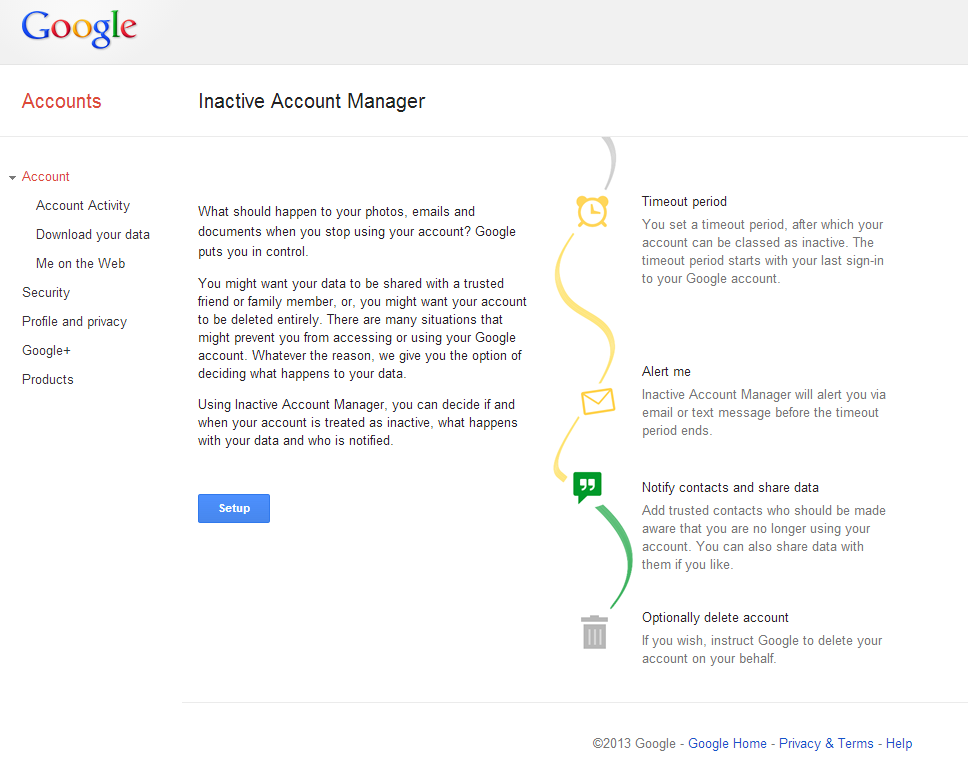
There's no better way to start off the afternoon than coming to terms with your mortality, which you'll need to do if you want to take advantage of Google's new Inactive Account Manager. Google launched the service on its account settings page to give users options with their account should it remain inactive for an extended period of time.

It's simple to set up: choose a timeout period—three, six, nine, or twelve months of inactivity—and from there you can direct Google on what to do with your Gmail messages, Blogger posts, Contacts, Google+ account, Google Voice, and YouTube accounts. (Basically, any Google services you've used in the past.) After that time period of inactivity, Google will send out a text message and e-mail the secondary address you provide. If you don't respond, it will assume... well, the worst. "We hope that this new feature will enable you to plan your digital afterlife," Google concluded in the blog post.

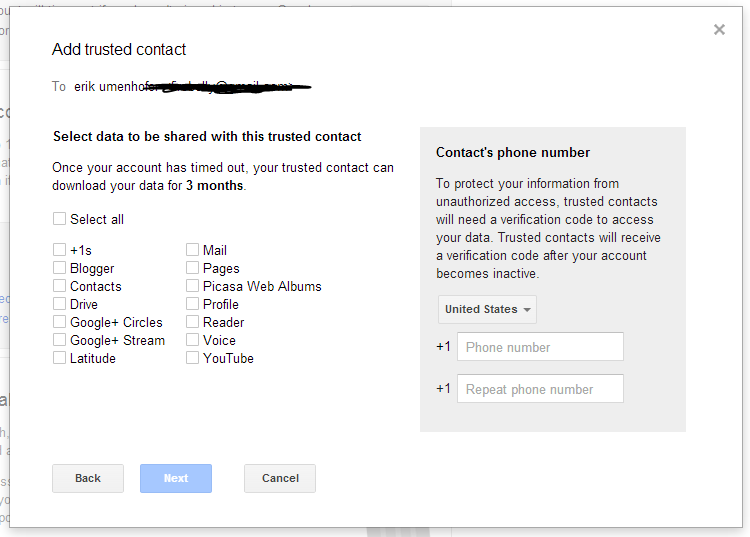
If you have intentions of allowing a friend or family member to have access to that data, you can set up the service to notify up to 10 people that your account has been inactive for the time you've specified. Google will then ask for verification details for the listed people, like a phone number and e-mail address. When you're ready, you can send out an e-mail to those people you've entrusted with your data should anything happen to you.

Read 1 remaining paragraphs | Comments


via http://arstechnica.com/business/2013/04/you-can-now-tell-google-what-to-do-with-your-account-in-the-afterlife/

Wednesday, April 10, 2013

DoD planning 40K-50K civilian job cuts over next 5 years

The Defense Department is planning to cut its civilian workforce by about 5 percent to 6 percent — between 40,000 and 50,000 positions — by the end of 2018, Defense Comptroller Robert Hale said Wednesday.

via http://www.airforcetimes.com/article/20130410/NEWS05/304100032

Air Force reinstates tuition assistance program

The Air Force has restarted tuition assistance one month after shutting it down because of sequestration's across-the-board budget cuts.

via http://www.airforcetimes.com/article/20130410/EDU02/304100030

Air Force restarts tuition assistance

The Air Force has officially restarted military tuition assistance, effective immediately.

The service restarted the program as a result of the Consolidated and Further Continuing Appropriations Act of 2013, where Congress called for the MTA program to continue in the current fiscal year.

As a result of the restart, the program will resume the same benefits as before. Airmen are eligible for up to $4,500 per fiscal year and a maximum of $250 per semester hour or quarter hour equivalent to cover tuition and allowable fees. Military tuition assistance is not available retroactively to cover courses taken and paid for using any other funding source during the suspension of military tuition assistance.
more...

via http://www.af.mil/news/story.asp?id=123343915

Hack Google Street View images into a movie with a “hyperlapse” tool

A shot from a hyperlapse past the Empire State Building, linked below.

If the static Google Street View screenshots aren't a sufficient in-person tour for a location you're checking out, the development and design studio Teehan+Lax has created a tool for making "hyperlapses" of Street View shots. The tool allows you to select a beginning and ending point and then plays back all the Street View shots taken along the way, which on occasion produces an arresting tour of the landscape.

Hyperlapses, as Teehan+Lax points out, are a quick succession of static shots that involve a painstaking collection-and-assembly process. The hyperlapse tool needs WebGL to run, but once it's going, users can drop starting and ending points anywhere that the Streetview Van has been. The tool will auto-select a route (seemingly the most expedient directions that Maps would give you between two points), and once you create the lapse, the tool will play your route back and forth along A and B.

The sample video of the tool shows some beautiful tours of the countryside in Ireland. We tried our own hand at some areas around New York, and the results were less awe-insipiring than frenetic. Even a tour along a scenic highway was visually overwhelming, largely due to the way that the Google Street View camera appears to swivel around as it takes in its surroundings.

Read 2 remaining paragraphs | Comments


via http://arstechnica.com/gadgets/2013/04/hack-google-street-view-images-into-a-movie-with-a-hyperlapse-tool/

Report: Next Xbox will control your TV, cable box through HDMI hookup

Microsoft's efforts to control all the entertainment in your living room with its set-top box will continue with the next Xbox, according to a new report from the Verge. The story cites "multiple sources familiar with the company's Xbox plans" in reporting that Microsoft's next system will hook up directly to set-top cable or satellite boxes through HDMI, giving the system Google TV-style capabilities to control a live video signal.

According to the report, the new Xbox's TV connection will build on top of the existing IP video apps for the Xbox 360 that Microsoft began rolling out through Xbox Live in 2011, including apps for Comcast, Verizon FiOS, and many pay TV networks and TV shows. While only basic functionality will be available at first, Microsoft will reportedly roll out "extended support" for these partners through the system's "always-on" Internet connection, laying exclusive UI elements over the video coming from the cable box. In addition, the service will reportedly make use of an upgraded Kinect to detect things such as eye movement from multiple viewers at once, even going so far as to pause playback when your head is turned away from the TV.

The Verge's report also suggests that Microsoft is still working on a lower-cost "Xbox TV" device that would focus on these video and streaming applications, and that the company is planning to launch this version of the system early next year. Microsoft journalist Paul Thurrott recently suggested that Microsoft had put those plans on hold in favor of a lower-cost version of the Xbox 360.

Read 2 remaining paragraphs | Comments


via http://arstechnica.com/gaming/2013/04/report-next-xbox-will-control-your-tv-cable-box-through-hdmi-hookup/

Get a disposable number for Android with the new Burner app

If you've ever needed a temporary phone number for whatever reason, there are several apps out there that you could turn to. Last summer, we wrote about Burner, an application on iOS that enables users to take on another phone number for a small fee. Unlike Google Voice or Skype, the app can assign your mobile phone a new number with just the touch of a button. Today, Burner has made its app available to Android users.

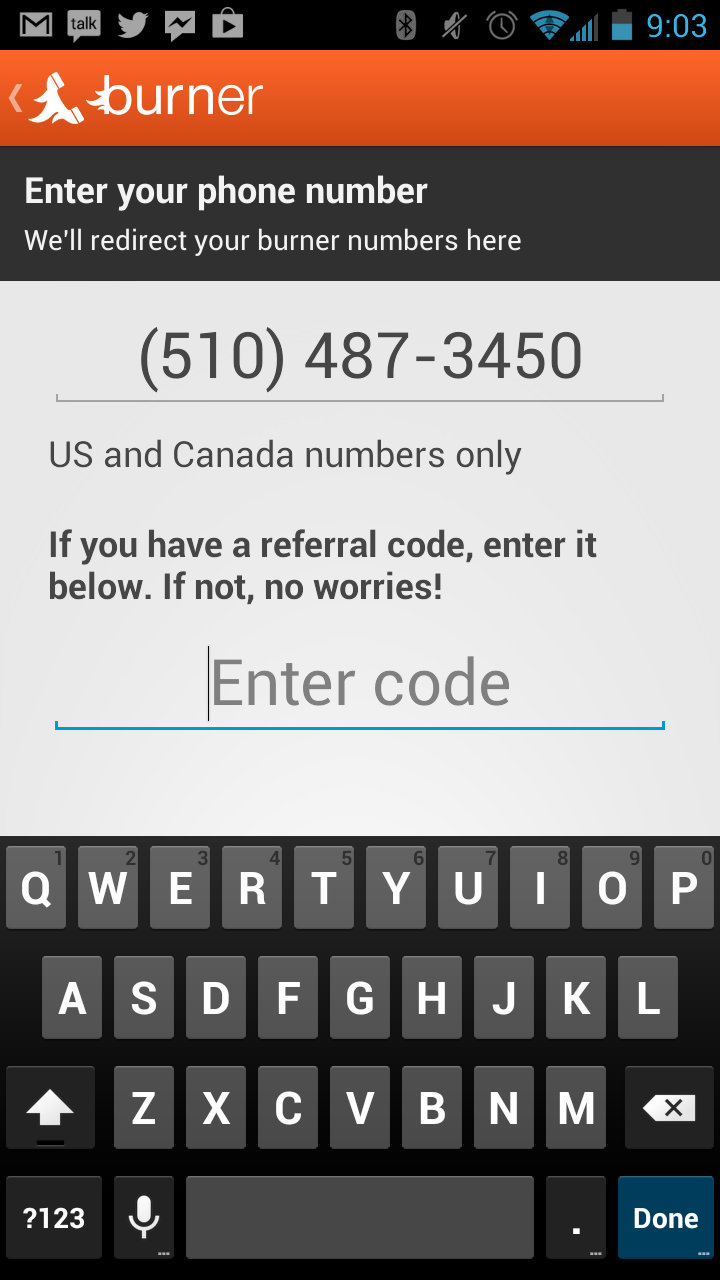
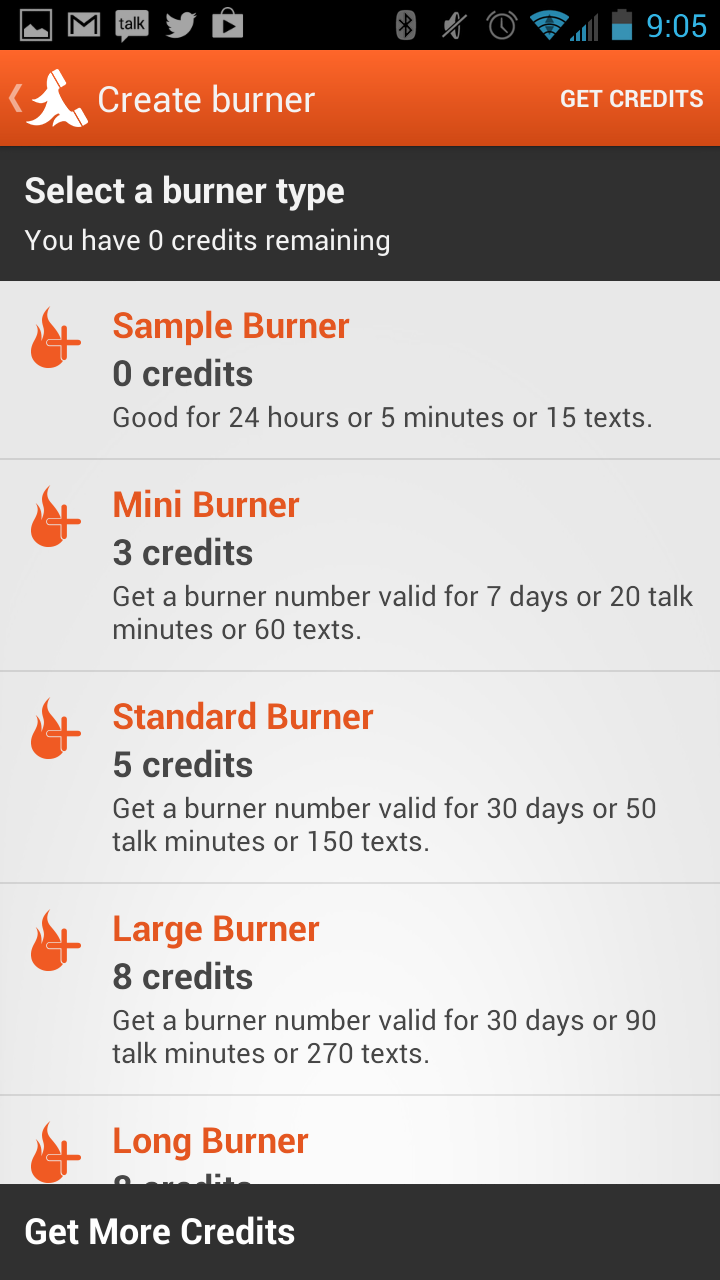
To make a burner phone number with the app, select the “Create Burner” button to choose an area code and then input the number the burner should forward to (it will automatically default to the number on your mobile phone). Unfortunately, you can’t use a land line as the callback number, because the number requires text message verification. You can then pick from a variety of burner options, with the most standard being the Mini Burner for $1.99, which offers a number valid for a week, 20 minutes, or 60 texts. After that, the number is effectively disposed of. There are also payment tiers: eight credits for $4.99, 15 for $7.99, or 25 for $11.99.

Read 3 remaining paragraphs | Comments


via http://arstechnica.com/gadgets/2013/04/get-a-disposable-number-for-android-with-the-new-burner-app/

Google building tower of Babel to meld messaging tools

As Google's I/O developer event approaches, details about a new unified messaging service linking all of Google's platforms have been emerging through internal developer conversations, brief glimpses behind the curtain provided by error messages, and flat-out leaks. The new service, called Babel, will tie together Google Talk, Hangout, Google Plus' Messenger, and other disparate communications tools within Google services spanning its Web and mobile applications, allowing them to be accessed from multiple locations and stored in users' Gmail inbox—at least based on the clues uncovered thus far.

Geek.com first published information about the service in March, calling it "Babble." It has been discussed in developer forums, including the ChromeOS "Chromium-bugs" discussion group. And the UK tech website Techradar released screenshots of Babel allegedly supplied by a Google employee. The screenshots include a host of graphic emoticons available in chat. An alert message revealed by one Google Plus user also showed that Babel has already infiltrated the services of at least a few users.

Aside from universal access to messages across apps, the Babel infrastructure apparently includes a new conversation-based interface for Google's various chat tools and the ability to embed pictures in chat. It will also improve notifications across ChromeOS, Android, and iOS applications. It's not yet clear how the service would integrate into Google Voice.

Read 1 remaining paragraphs | Comments


via http://arstechnica.com/information-technology/2013/04/google-building-tower-of-babel-to-meld-messaging-tools/

Making Windows 8 Even More Manageable with MDOP 2013

Today I’m excited to announce that the Microsoft Desktop Optimization Pack (MDOP) 2013 for Software Assurance is now available for download! When people think about MDOP, they often think about its virtualization tools that help personalize user experience, simplify app deployment, and improve app compatibility for Windows. MDOP is much more than that though, it also helps manage and deploy important Windows features like BitLocker and Group Policy, as well as saves time by helping to make desktop repair planning proactive instead of reactive.

We’ve been working for some time to optimize our MDOP products for Windows 8 with the goal of making them easier to adopt and take advantage of all the new Windows 8 platform capabilities. Last November, we took our first step by releasing MDOP 2012, in which Microsoft User Experience Virtualization (UE-V), Microsoft Application Virtualization (App-V) 5.0, and the Diagnostics and Recovery Toolset (DaRT) 8.0 supported Windows 8.

In addition, to help manage BitLocker and Group Policy in Windows 8, we released beta versions of Microsoft BitLocker Administration and Monitoring (MBAM) 2.0 and Advanced Policy Group Management (APGM) 4.0 SP1. With the release of MDOP 2013 today, we are continuing our commitment to making Windows 8 even easier to adopt and manage.

The biggest update you’ll notice in MDOP 2013 is the official release of MBAM 2.0. As a quick refresher, we first released MBAM 1.0 in response to customers asking for an easier way to manage BitLocker. The feedback on MBAM has been very positive and it’s clear that it’s a valuable tool that simplifies the provisioning and deployment of BitLocker encryption, while at the same time offering reduced costs, improved compliance, and reporting.

MBAM 1.0 has enabled BitLocker to quickly become one of the most popular Windows features that organizations are either using or evaluating. Since MBAM 1.0 was released, we’ve continued to garner feedback from organizations to ensure we’re continuing to deliver the innovative features that you need for your business. One of the primary goals for MBAM 2.0 was to help customers further reduce the costs associated with managing and supporting encrypted devices. We’ve done this through new features including the Self Service Portal, SCCM integration, reporting enhancements, and simplified provisioning for Windows 8.

With MBAM 2.0, organizations will have improved compliance and security mechanisms, along with streamlined integration across management solutions, resulting in long-term cost savings. Here’s a closer look at the key MBAM 2.0 features found in MDOP 2013:

  • Self Service Portal: The Self Service Portal helps end users perform the most common support tasks on their own without needing assistance from the help desk.
  • MBAM integration into System Center Configuration Manager 2007 and 2012: System Center Configuration Manager (SCCM) integration of MBAM enables organizations to integrate MBAM’s compliance management and reporting capabilities within the SCCM management infrastructure that has already been deployed.

· Compliance reporting calculation improvements: Reporting has been updated so that devices are only listed as non-compliant when they’re in a state that is less secure than the minimum requirements defined in policy. This differs from MBAM 1.0 where compliance was based on strict adherence to policy and resulted in devices appearing non-complaint even when they were in a more secure configuration than was required by policy.

  • Simplified Provisioning: MBAM 2.0 includes the option to automate the provisioning of BitLocker encryption within your Windows 8 deployment and imaging process.

Al Gillen, program vice president of System Software at IDC, shared his thoughts with us on the new updates: “MDOP 2013 provides a definitive value to Windows enterprise SA customers through the enablement of flexible work environments, improved operating system capability and enhanced IT cost savings. Now, with the upgraded features available via MBAM 2.0, organizations can be more effective in how PCs are managed to ensure constant compliancy and security in any business scenario.”

In addition to general quality improvements, we’ve also updated many of the other technologies in MDOP 2013, with enhanced features and benefits ideal for businesses using Windows 8. Key updates include:

  • AGPM 4.0 SP1: Brings powerful change management for Group Policy to Windows 8, making it easier for organizations to keep enterprise-wide desktop configurations up to date, enabling greater control, less downtime, and lowering total cost of ownership (TCO).
  • DaRT 8.0 SP1: Accelerates desktop repair by adding support for 10 additional languages. It also includes a new Defender engine to better assist organizations in discovering malware.
  • App-V 5.0 SP1: Helps organizations use virtually any application anywhere by adding support for Office 2010. This will give end users a consistent experience with virtualized Office that they saw with previous versions of App-V. SP1 also adds support for the sequencer and client in 24 languages while App-V 5.0 server will be supported in 11 languages.
  • UE-V 1.0 SP1: Makes it easier for users to change devices, but keep their experience with support for Office 2007, a heavily requested addition. The product now supports 24 languages, allowing more organizations to use UE-V in their native language.

We’re so excited to have shipped MDOP 2013, I encourage you to download it for your own organization and let us know what you think. For those of you who are using MBAM Beta 2, you can easily migrate your existing deployment to the official release, enabling you to retain all existing reporting and recovery data.


via http://blogs.windows.com/windows/b/business/archive/2013/04/10/making-windows-8-even-more-manageable-with-mdop-2013.aspx

Google Street View Hyperlapse animates your planned journey, shows the places you'll go

Google Street View Hyperlapse animates your planned journey, shows the places you'll go

Taking Google's maps and Street View imagery, design firm Teehan+Lax Labs has moulded them into an unofficial time-lapse animation site. While there's some predetermined (and beautiful) routes offered up on the maker's site, you can also plug in your own favorite journeys from A to B -- perfect for reliving that milk run. If you're looking for something a little more aspirational, however, we've added a video of one of the lab's examples after the break.

Filed under: , ,

Comments

Via: Autoblog

Source: Teehan+Lax Hyperlapse (1), (2)


via http://www.engadget.com/2013/04/10/google-street-view-hyperlapse/